Manage a property
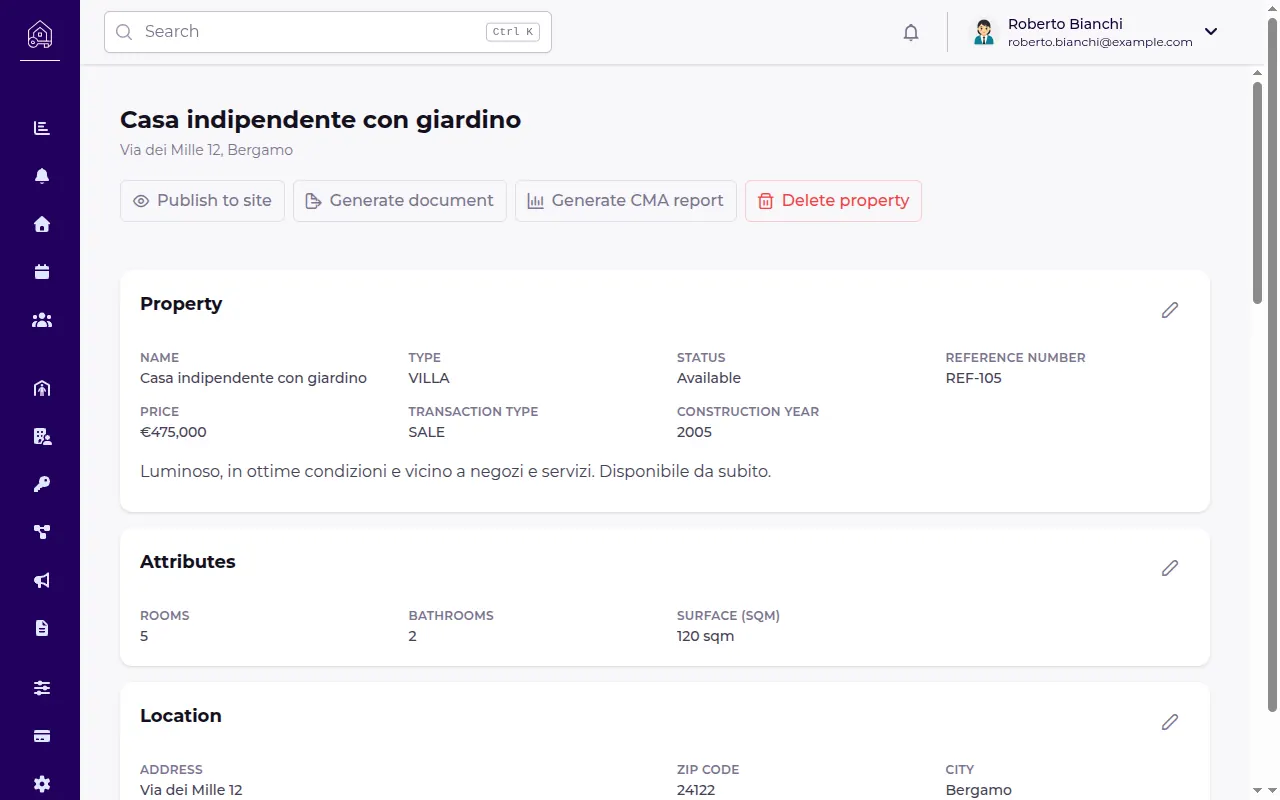
Every property has its own page, reached from the property list, with one card per group of data and the actions at the top.
Who can do this:AdminManagerAgent
Steps
Find the property in Properties with the search and the filters, then open it.
Edit any card (identity, attributes, location, owner, energy, features, media, deal financials) and save it: if you leave the page with unsaved changes, the CRM asks for confirmation.
Use "Publish to site" to show the property on your agency website, and "Unpublish from site" to remove it.
Use "Generate document" to create a document from one of your templates, or "Generate CMA report" for a comparative market analysis of the property.