Use the dashboard
The dashboard is the first page after signing in and sums up properties, clients and appointments.
Who can do this:AdminManagerAgent
Steps
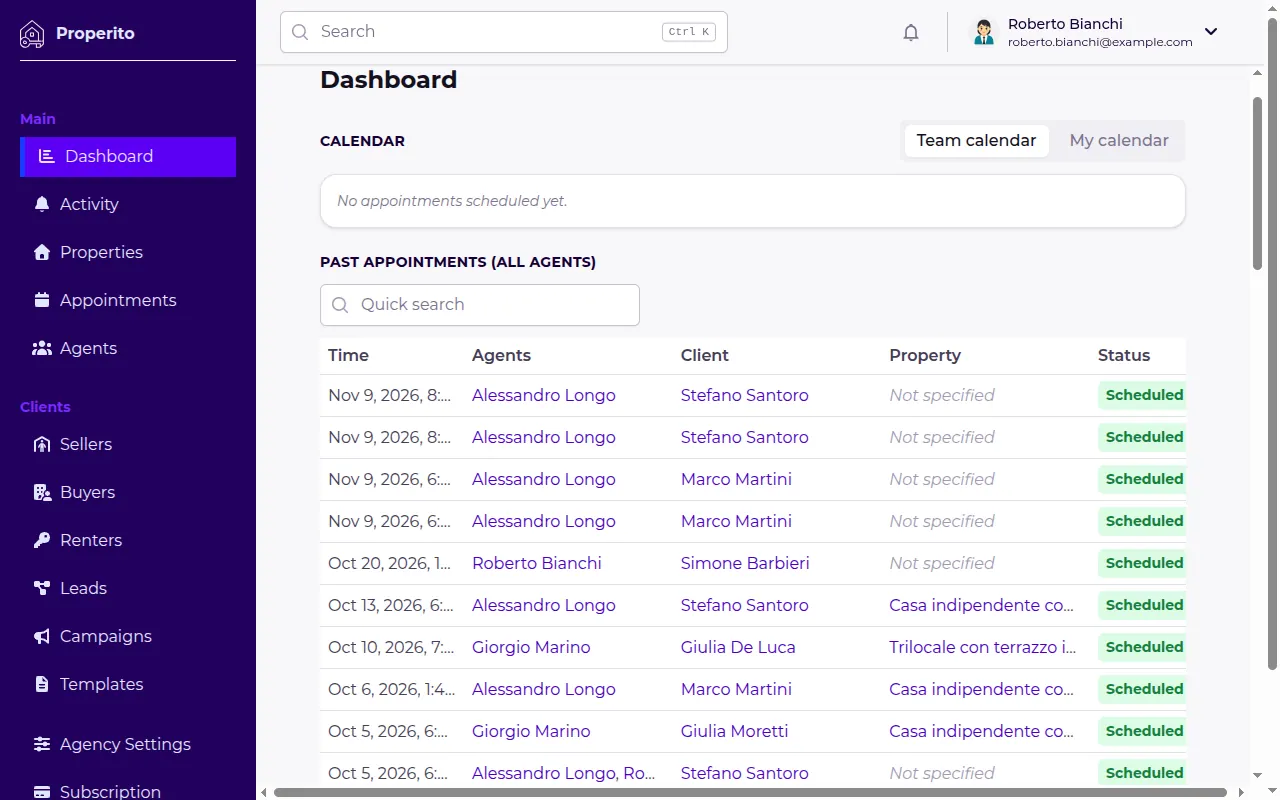
At the top, the Calendar shows the appointments of the whole team or only yours (Team calendar / My calendar); below it, Past appointments (all agents) lists the ones already held, with a quick search.
Switch between My workload and Agency overview to see your own numbers or those of the whole agency.
Check the counters: active listings, active clients, upcoming appointments, stalled leads, deals closed and new clients this month.
Read the charts over 3, 6 or 12 months: listings against closed deals, new clients and appointment activity.
In Follow-up tasks, complete, dismiss or postpone the reminders created by stage changes and stalled leads.
Follow Recent activity and use "View all" to open the Activity page, with filters by type, agent and date.