Manage the lead pipeline
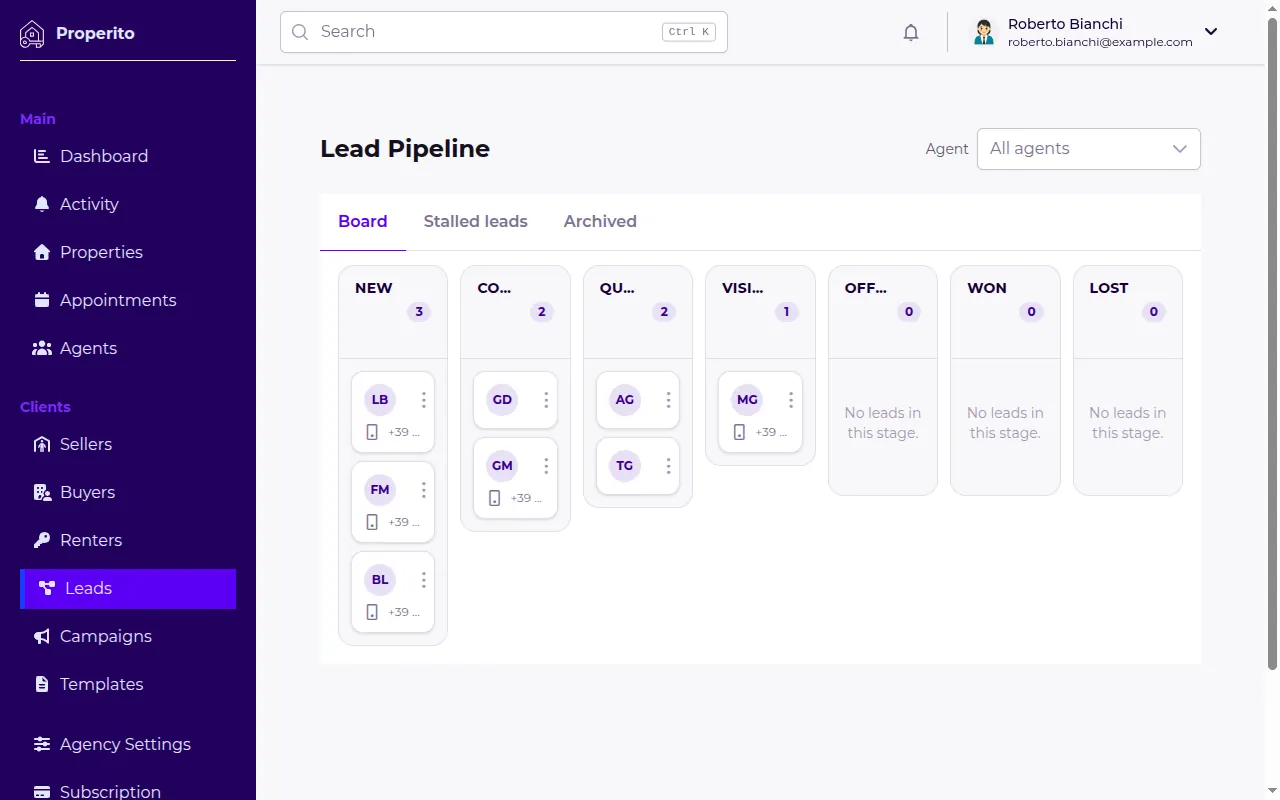
The Lead Pipeline shows buyer leads in columns, one per stage: New, Contacted, Qualified, Visit Scheduled, Offer Made, Won and Lost.
Who can do this:AdminManagerAgent
Steps
Open Leads from the side menu; filter by agent to see one person’s leads.
Drag a lead to another column to change its stage, or use "Move to..." on the card.
Open Stalled leads to find leads without a stage change or contact for longer than the agency threshold.
Archive a lead you no longer follow: it leaves the board but stays on record in the Archived view.